Neon Torii – Rainy Rooftop Clock & Visualizer
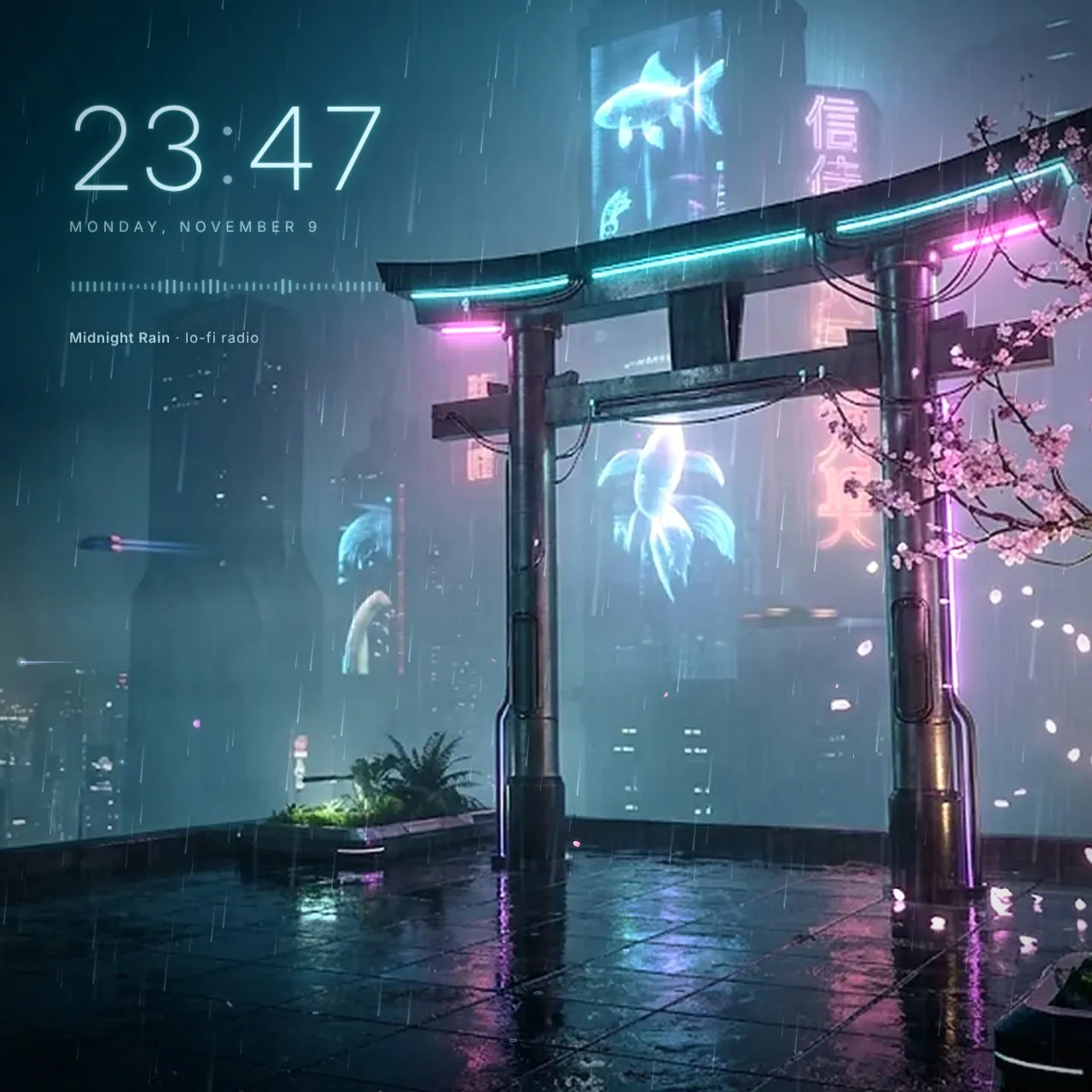
[h1]Neon Torii[/h1]A calm cyberpunk night on a rainy rooftop: a neon torii gate, holographic koi, a glowing cherry tree and a city lost in fog. Made for long…
Properties
- Clock color
- Clock glow color
- Show clock
- Time format
- Show seconds
- Show date
- Date language
- Clock position
- Clock size
- Audio visualizer
- Visualizer height
- Show current song (media integration)
- Neon pulse with music
- Bloom
- Hologram glitches
- Rain
- Wind (left / right)
- Puddle ripples
- Cherry blossom petals
- Flying cars
- Drifting fog
- Mouse parallax
- Render scale (lower = faster)
How to install
- Download the ZIP and extract it.
- Move the extracted folder to
Steam\steamapps\common\wallpaper_engine\projects\myprojects. - Restart Wallpaper Engine. The wallpaper shows up under Installed.
- Select it and adjust colors, texts and effects in the properties panel on the right.